On this page
Hi everyone 👋, I'm Hung Anh.
This is the fourth article in the Kubernetes Fundamentals series. In the previous article, we covered how the Virtual Machine works, and near the end we noted that most servers really just run the Linux kernel — so having every VM contain its own full kernel starts to feel wasteful.
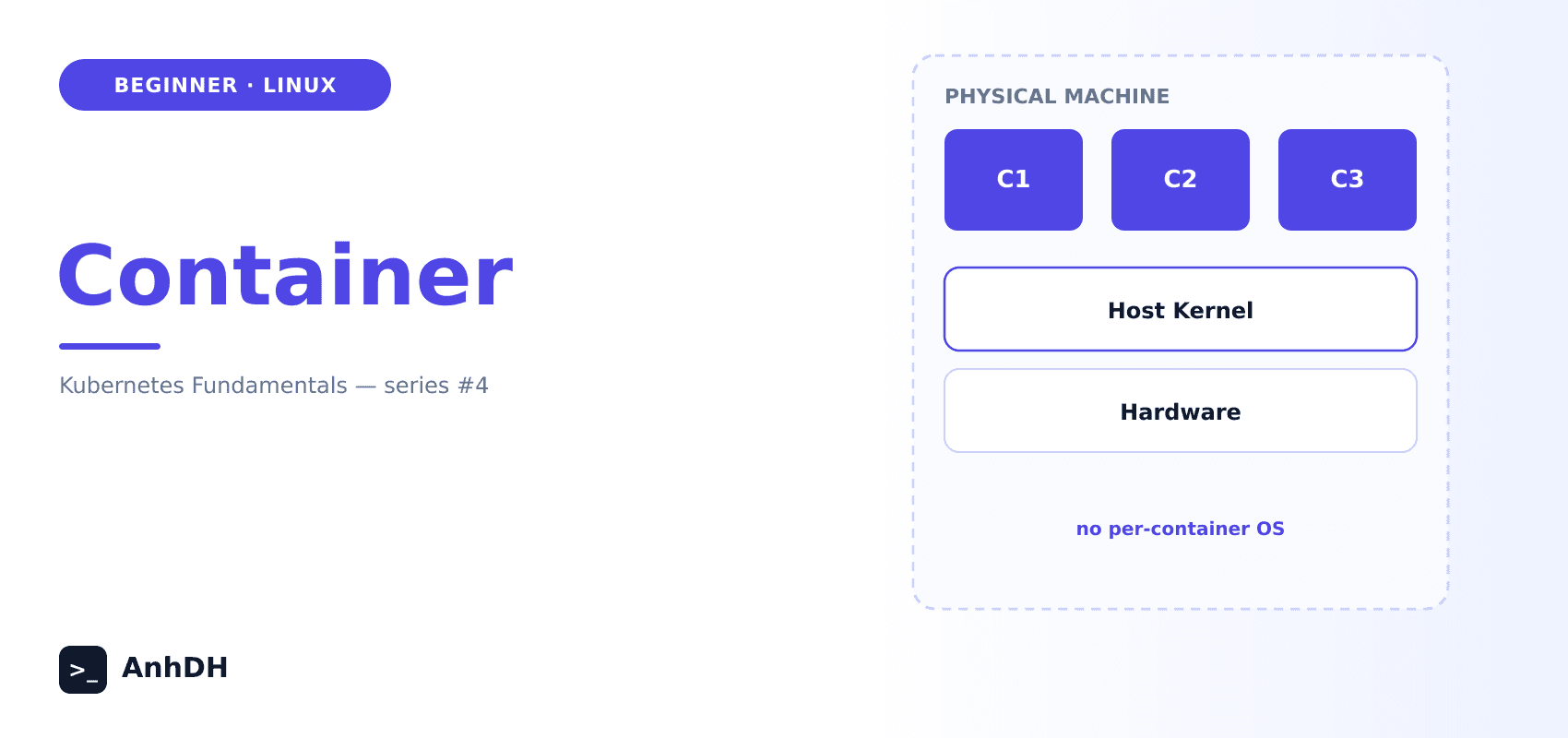
The container came along with a different approach. It still creates separate isolated environments, but they all share the host machine's Linux kernel. That's how it fixes the downsides of the VM model, while also being a much better fit for the case where your applications all run on the same kernel anyway.
Let's dig deeper into containers in this article.
Let's get started.
1. What Is a Container?
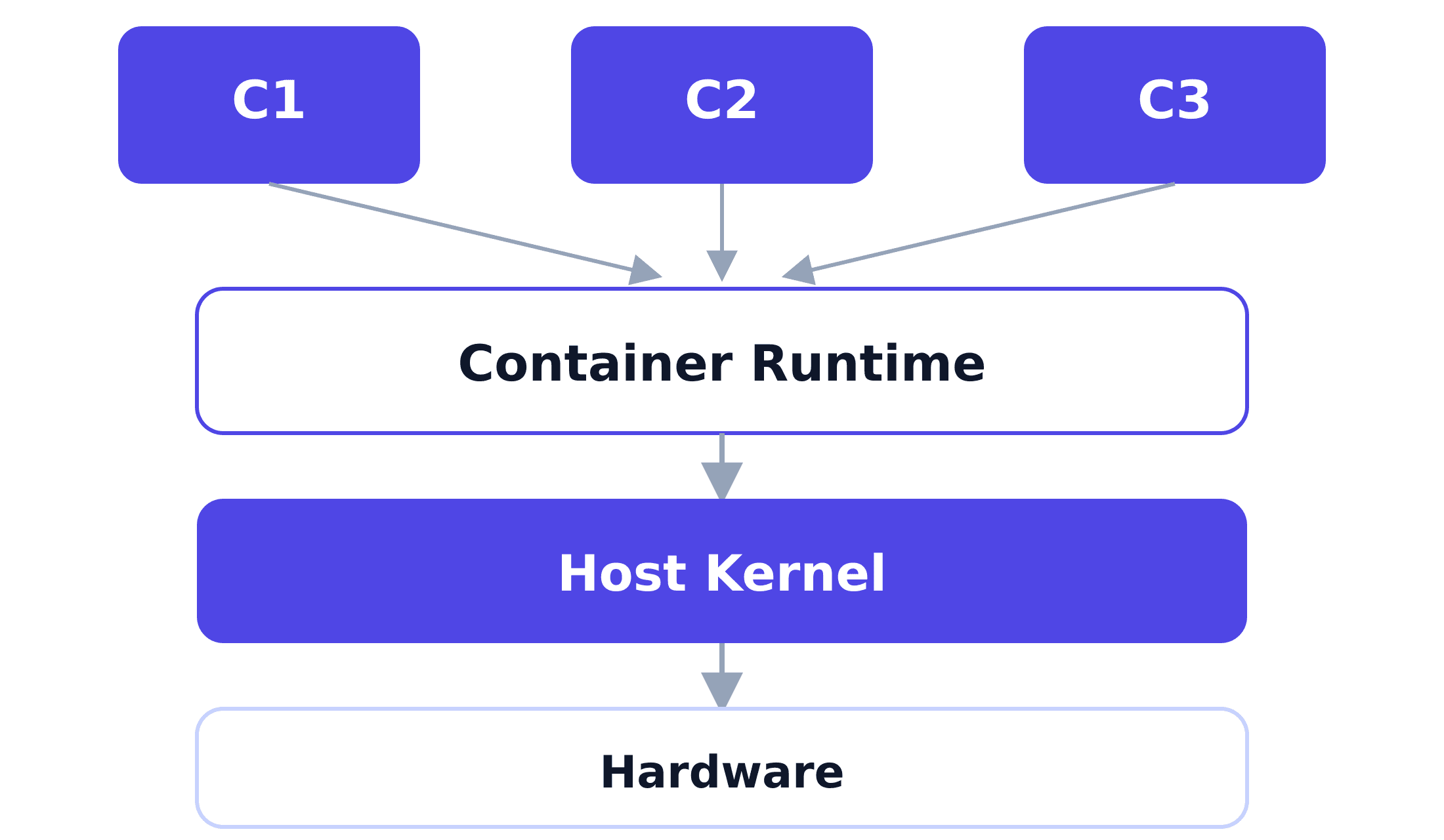
A container is simply an ordinary process on the host, isolated by Linux's sandbox mechanism — namespaces and cgroups.
Unlike a VM, a container has no kernel of its own. It doesn't go through a hypervisor at all — it runs directly on the host's real kernel, just isolated from the other processes running alongside it on that host.
2. Container Image
For our application to run as a container, we first need to package it into a container image (a step also known as building the container image).
A container image is a package containing everything the app needs to run, such as the source code, the runtime (Node, JVM, ...), the libraries, system utilities, and the accompanying configuration. In other words, the entire "environment" needed to run the app gets locked into the image at build time.
At run time, a container only needs the Linux kernel from the host machine, and the kernel's syscall set is remarkably stable across different kernel versions and different distros. So the same image — whether it runs on Ubuntu, CentOS, or in the cloud — gives the app the exact same environment everywhere. The environment differences between machines are close to none, which is why "the container runs on this machine but not on that one" rarely ever happens.
3. Container Runtime
Namespaces and cgroups are just mechanisms the kernel provides for building a sandbox — something still has to actually call them to create, start, and manage containers. The container runtime exists to take on exactly that job.
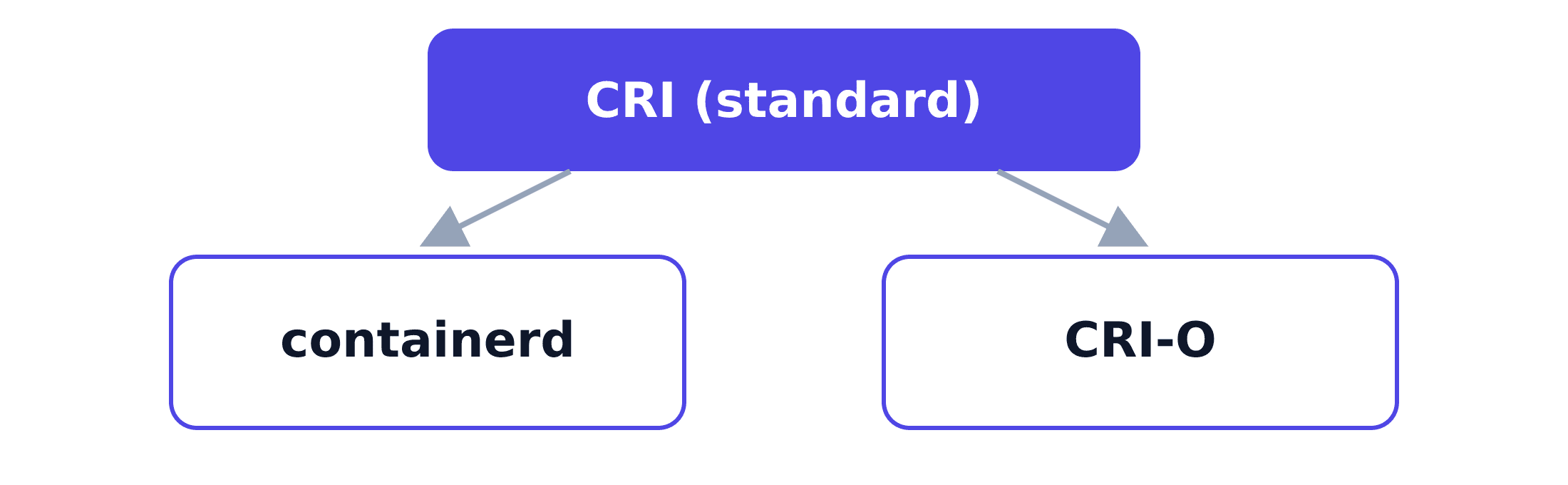
The Container Runtime Interface (CRI) is a standard created by Kubernetes. It defines a set of APIs (over gRPC) so Kubernetes can talk to a container runtime easily. Thanks to that, any container runtime that follows this standard can be deployed on Kubernetes, and Kubernetes isn't locked into any one specific runtime either. Below are the 2 most widely used implementations of this standard:
- containerd — split out of Docker, the most widely used runtime today.
- CRI-O — an implementation developed by the Kubernetes community that follows the CRI standard closely.
4. How a Container Works
When a container starts, the container runtime does something simple:
- Create a new process on the host (this is fast, the same as starting any other program).
- Use the Linux sandbox's namespace and cgroups mechanisms to isolate that process.
- Namespaces — the container can't see the processes, files, or network of the host or of any other container.
- cgroups — the container is capped on how much CPU, RAM, and disk I/O it's allowed to consume.
Containers make syscalls straight to the host's real kernel, with no emulation layer in between. That's the core difference from a VM, and exactly why a container is lighter and starts so much faster.
- The host machine can. To the host, a container is just a regular process. Run
psfrom the host and you'll see it right there, the only difference being that the PID on the host differs from the PID the process sees inside the container. - Other containers can't. Each container lives in its own namespace, so even on the same machine, one container has no way to see another container's processes — not even when the process inside runs as root, because that root only has effect within its own namespace.
- The container itself can't see the host either. From inside the container, the process can't see any of the host's processes.
In short, namespaces only limit what the process inside can see — they don't hide that process from the host.
5. How the Container Solves the Previous Article's Problem
The problem: most servers only run the same kernel anyway, so having every VM contain its own full kernel starts to feel wasteful. Is there a more optimal way?
Solution:
Containers skip the hypervisor and the guest OS entirely. Every container on the same host shares that host machine's one real kernel, instead of each one having its own kernel like a VM. That avoids everything that made a VM heavy:
- No full OS to boot (starting a container is just starting a process — under a second, not minutes).
- No GBs spent just keeping a guest OS alive.
And precisely because it's lighter, far more containers can fit on the same hardware than VMs ever could.
6. The Downsides of a Container
- Weaker isolation than a VM: Since every container on the host shares the same kernel, a vulnerability in that kernel can potentially affect every container running on it — unlike a VM, where each one has a fully separate kernel.
- Tied to the host's kernel: A Linux container needs a Linux kernel underneath it to run at all. To run a Windows container, you'll need a host with a Windows kernel.
Most container images are Linux containers, and the Windows kernel simply can't run Linux containers. So when you install Docker Desktop on Windows, it quietly runs a lightweight Linux VM in the background via WSL2, and every "Linux container" you run is actually running inside that hidden VM, not directly on the Windows kernel.
7. Summary
A container is just a regular process, isolated with namespaces and cgroups, running directly on the host's own kernel — no hypervisor, no guest OS. That's what makes it light and fast, at the cost of weaker isolation and a hard dependency on the host's kernel.
In production, you'll typically need to deploy containers across many servers to ensure HA (High Availability). But doing that by hand takes way too much effort and time — you need a technology that can automatically orchestrate and manage them, deciding which container runs where, restarting one if it dies, and adding more instances under traffic load. Google recognized this problem early on and released Kubernetes to solve exactly that. Next up, we'll dig deeper into Kubernetes and its components.
See you in the next one.
Happy reading! 🍵
References
- What even is a container: namespaces and cgroups - Julia Evans
- Container Runtime Interface (CRI) - Kubernetes documentation
 Do Hung Anh@anhdh
Related articles
Kubernetes Cluster Architecture
What actually makes up a Kubernetes cluster? The control plane decides what runs where, the nodes run it, and the addons fill in the rest.
Virtual Machine
How does the Virtual Machine solve the physical server's "one machine, one environment" problem, and what does this approach cost you?
Physical Servers and Their Limits
What does a physical server actually look like, and why can't we just keep deploying more onto the same one?