On this page
Hi everyone 👋, I'm Hung Anh.
This is the first article in the Kubernetes Fundamentals series. Before getting anywhere near Kubernetes itself, the story has to start with the foundation of everything in this series: the Linux kernel. If you've never really sat down and thought about what a kernel does, what a driver is, or what "sandbox" actually means in Linux, this article is for you.
Let's get started.
1. What Is the Linux Kernel?
The kernel is a layer of software that sits between your hardware (CPU, RAM, disk, network card) and every application you run.
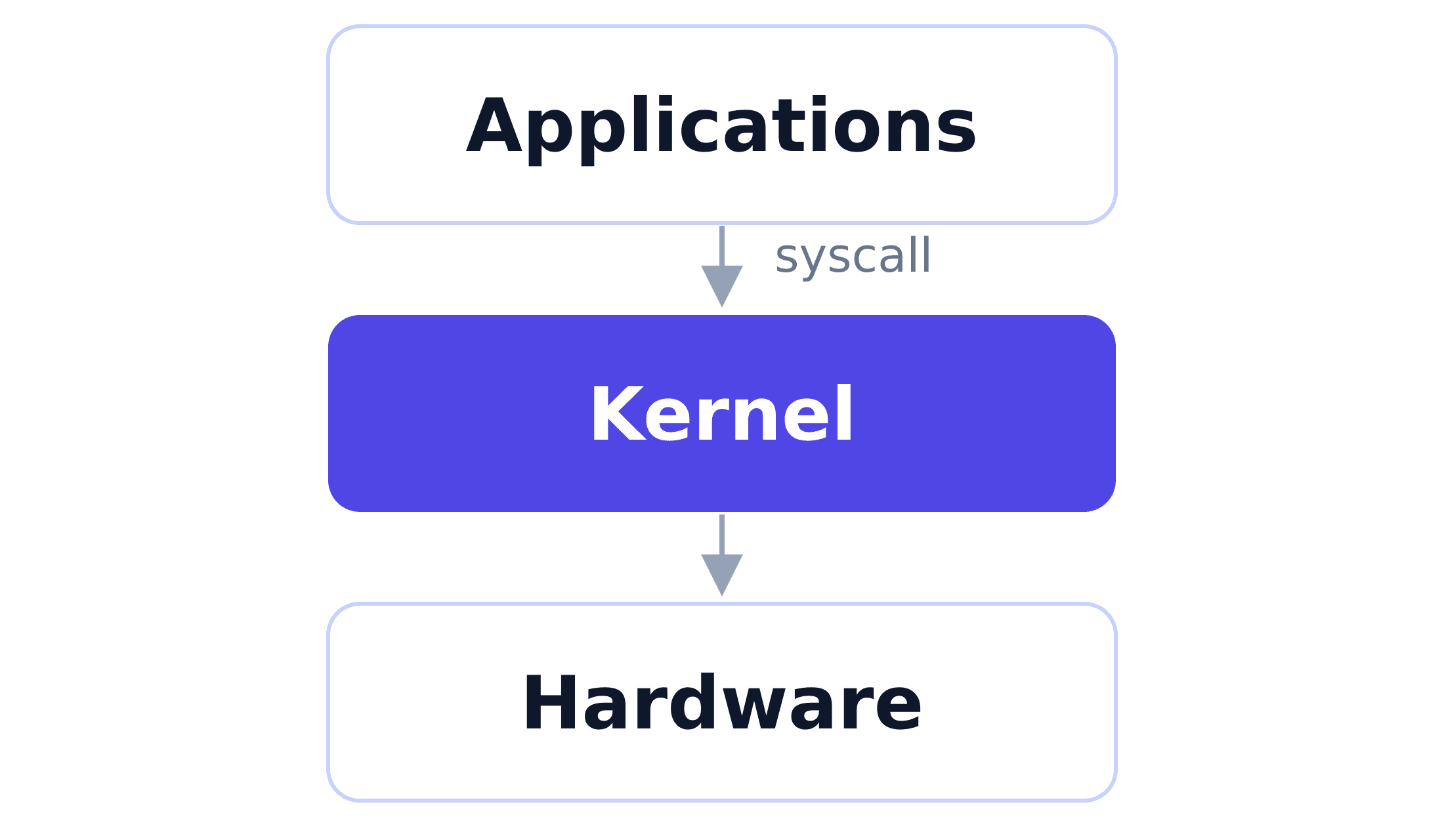
An application is never allowed to touch the hardware directly. Your browser doesn't get to poke the disk controller, and nginx doesn't get to write straight into a network card's registers. Instead, every single one of those operations — read a file, allocate memory, open a socket, spawn a process — has to go through a system call (syscall).
A syscall is simply one of a set of predefined commands the kernel exposes for applications to call. Some common examples: open(), read(), write(), fork(), socket(). When your app calls a syscall, the kernel checks whether the calling process is allowed to make this specific request (permissions, quotas, whatever policy applies). If it's allowed, the kernel handles the request on the process's behalf, talking to the CPU scheduler, the memory manager, or the disk.
You can watch this happen using strace. Try running this on your Linux machine:
strace -c ls > /dev/null
strace intercepts every syscall a program makes and prints a summary. Even a command as simple as ls fires off dozens of syscalls (openat, read, close, mmap...) before it prints a single filename. None of that is ls accessing the filesystem itself — every one of those calls is ls asking the kernel to do it on its behalf.
Rule: apps request, the kernel decides and executes — that's the foundation everything else in this article (and this whole series) is built on.
2. Kernel vs. Driver
The kernel doesn't inherently know how to talk to the specific WiFi chip, GPU, or NVMe disk you're using. There are thousands of hardware vendors and tens of thousands of models. So the kernel doesn't try to hardcode support for every one of them — instead, each hardware component gets its own small module called a driver, whose only job is to translate the kernel's generic commands into the exact commands that particular chip understands.
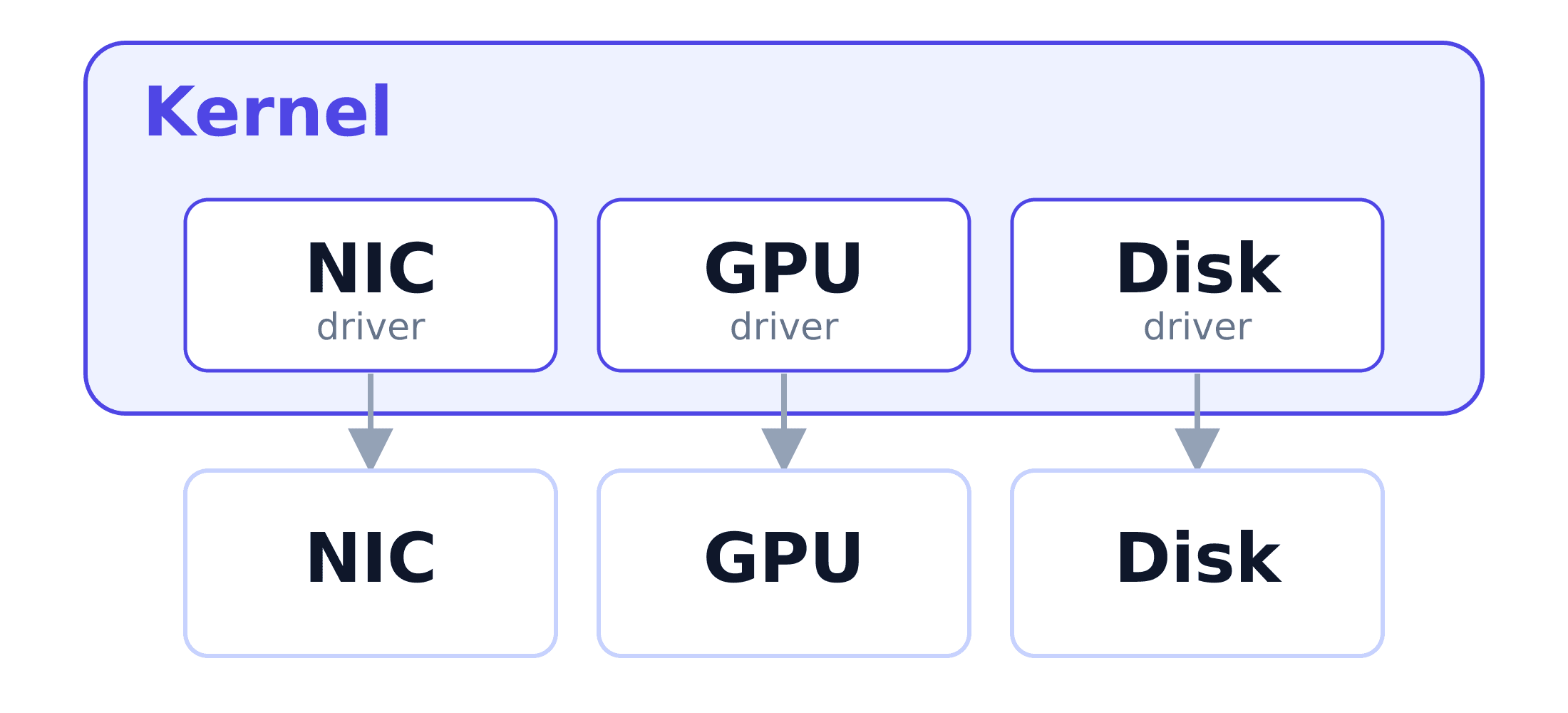
Without a driver, the kernel doesn't know how to talk to the hardware.
This is also where the well-known difference between "installing Windows" and "installing Linux" comes from:
- Windows' kernel is closed-source. Hardware vendors have to build their own driver packages and ship them separately, through Windows Update or the vendor's own installer. That's why installing Windows usually means downloading driver installers.
- The Linux kernel is open-source, licensed under the GPL. The overwhelming majority of hardware vendors upstream their drivers directly into the mainline kernel source tree. That's why when you install a distro like Ubuntu on a random laptop, the WiFi and the touchpad "just work" out of the box — the kernel you downloaded already ships with thousands of drivers baked in. However, drivers that vendors want to keep closed-source can't be merged into the mainline Linux kernel, so you have to install them yourself.
Several of NVIDIA's proprietary GPU drivers, along with some WiFi/Bluetooth chipset drivers, can't be merged into the mainline Linux kernel because the GPL requires a driver's source to be open. NVIDIA has been steadily open-sourcing parts of its driver in recent years, but plenty of the stack (OpenGL/Vulkan/CUDA userspace drivers) is still closed-source — which is exactly why you often still have to run apt install nvidia-driver-xxx yourself instead of it just being there already.
3. What Is an OS?
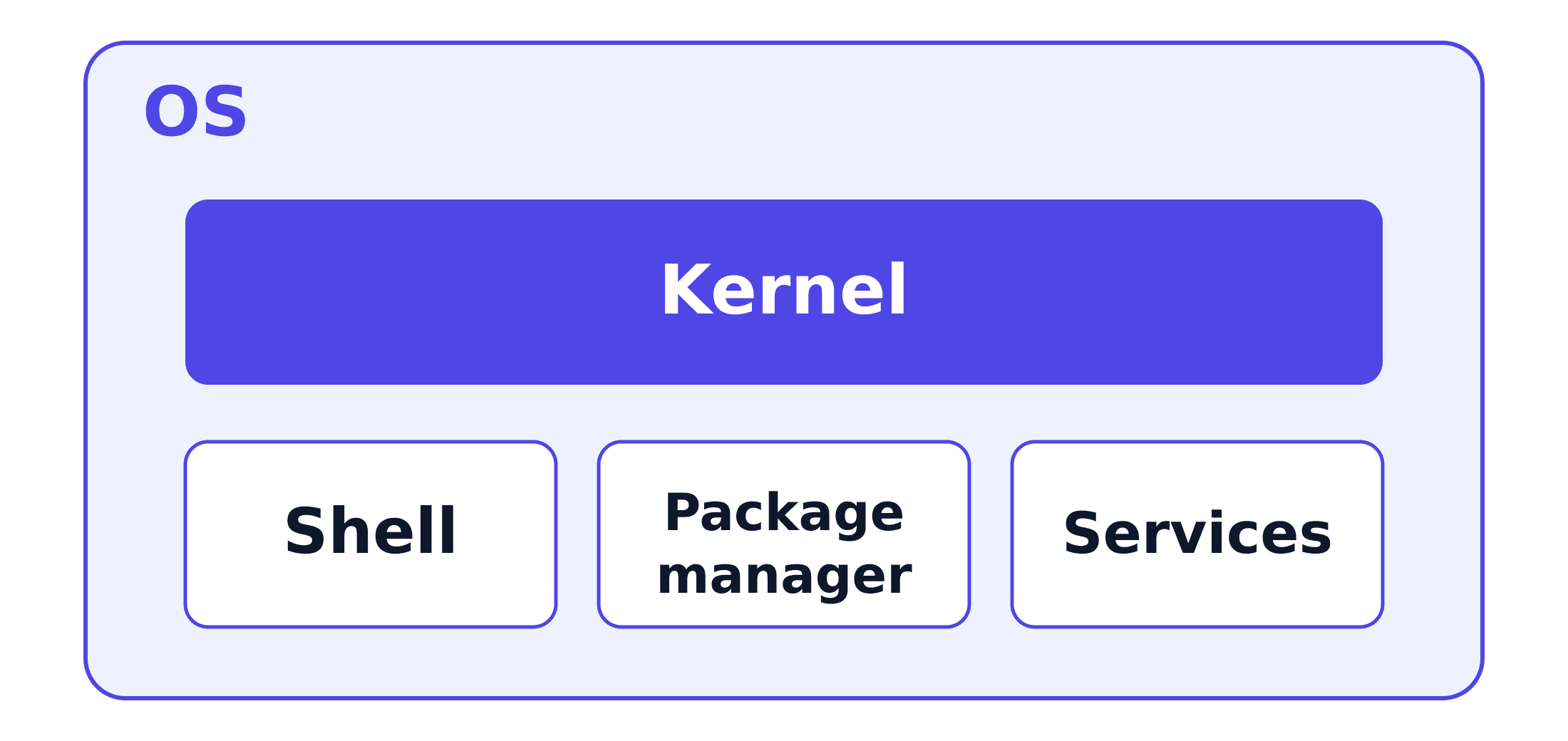
The kernel is the core, but on its own it isn't the thing you install on a machine. An OS (operating system) = the kernel + everything bundled with it to make the machine actually usable: a shell (bash), the basic utilities (ls, cp...), a package manager (apt/yum), system services (systemd), the standard library (glibc).
An example to make it concrete: Linux is really just the kernel. Ubuntu, CentOS, and Debian are different OSes sharing the same Linux kernel. They only differ in the "everything bundled" part: package manager, services, default configuration... Android also runs on the Linux kernel, yet it's a completely different OS from Ubuntu.
Distro is the common name for the OSes that share the Linux kernel, such as Ubuntu, CentOS, Debian...
4. Linux Sandbox
When multiple processes run on the same machine, we often want to limit how much of a resource (CPU, RAM, disk...) each process gets to use, and stop one process from reading another's data. The Linux kernel ships with mechanisms for exactly that, and the isolated environment built from them is called a sandbox.
A sandbox is an isolated execution environment. Everything running inside the sandbox is restricted and can't reach out to interfere with the real host or with other sandboxes.
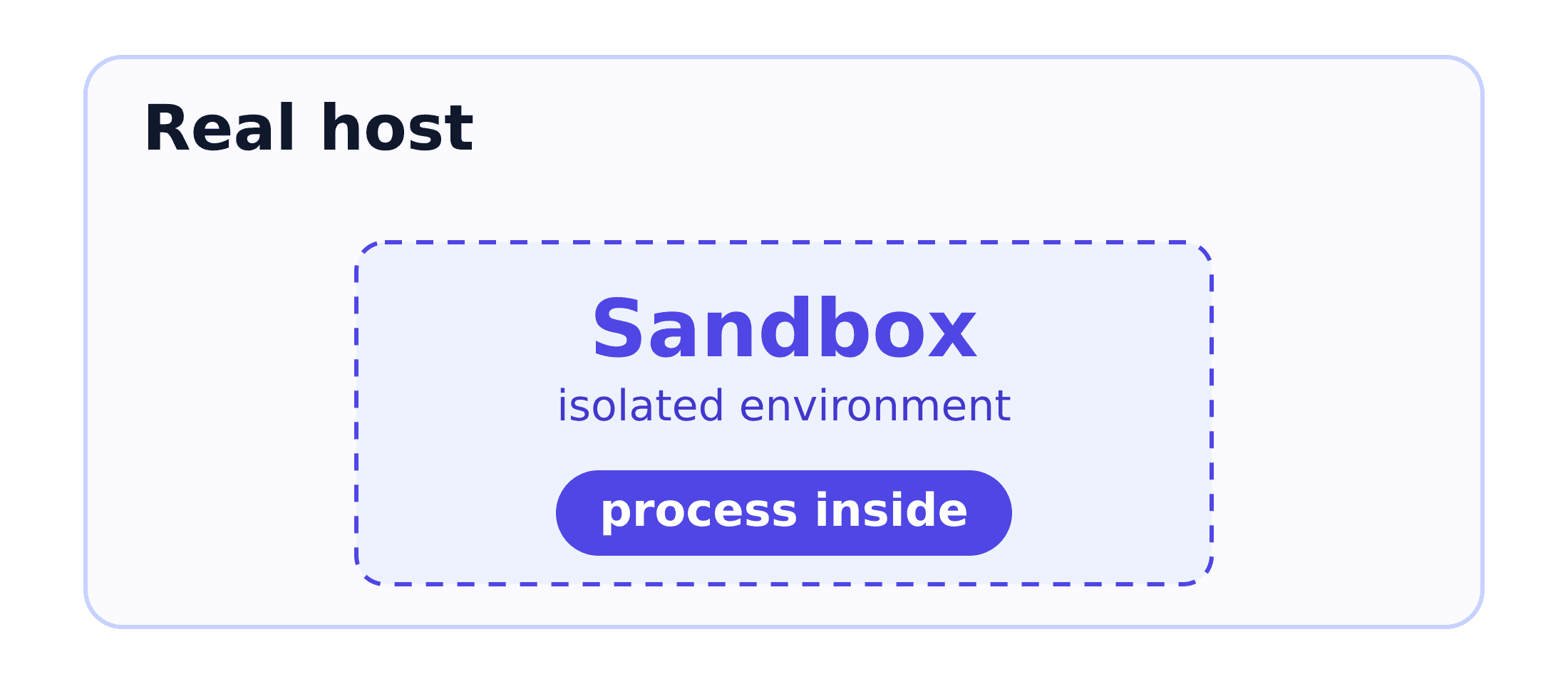
The Linux kernel gives you two mechanisms — namespaces and control groups — to build a sandbox from:
- Namespaces: Control what a process can see. Same machine, same kernel, but the process inside either can't see the resources outside its allowed view, or still sees them but in a different form. The kernel offers several kinds, each isolating a different slice of the system, and a process can be placed into any combination of these at once — that combination decides what the process can actually see of the system.
- Control groups (cgroups): Control what a process can use. Where namespaces control visibility, cgroups control consumption: how much CPU time, how much RAM, how much disk I/O, even how many processes a group is allowed to spawn. The moment the processes in a group cross a limit, the kernel steps in directly and handles it before they can take resources away from processes outside the group. Mechanically, the kernel stores cgroups as an ordinary directory tree (mounted at
/sys/fs/cgroup), where each cgroup is just a folder and each resource limit setting is just a text file holding numbers.
5. Summary
By now you've probably got the basic Linux terminology down.
In the next article, let's find out what limitations you run into when deploying an application on a single physical server.
Time to relax and grab some tea.
Happy reading! 🍵
References
- Control Groups v2 - The Linux Kernel documentation
- What even is a container: namespaces and cgroups - Julia Evans
 Do Hung Anh@anhdh
Related articles
Kubernetes Cluster Architecture
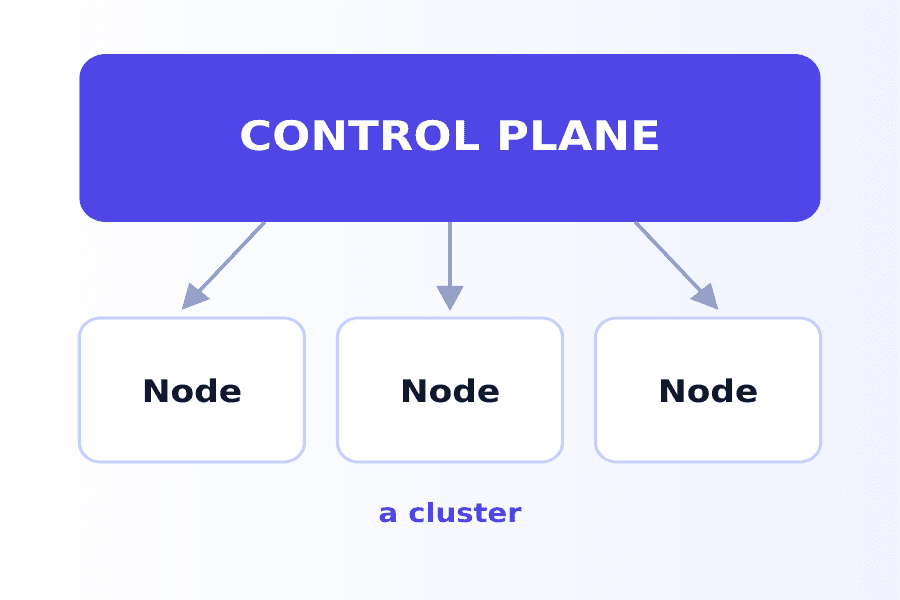
What actually makes up a Kubernetes cluster? The control plane decides what runs where, the nodes run it, and the addons fill in the rest.
Container
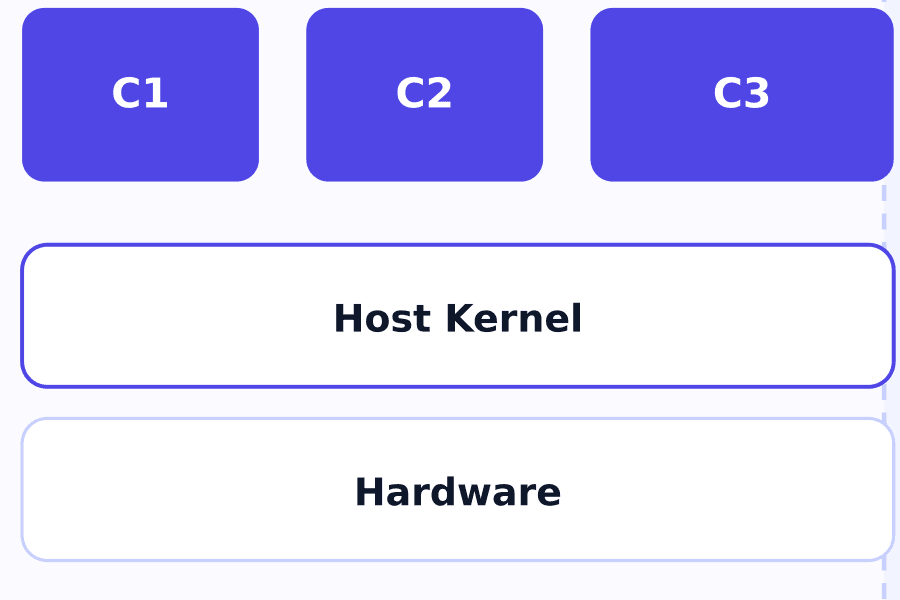
The container solves the Virtual Machine's weight and boot-time problem by dropping the private kernel every VM has to carry around.
Virtual Machine
How does the Virtual Machine solve the physical server's "one machine, one environment" problem, and what does this approach cost you?