On this page
- 1. What Is Kubernetes?
- 2. K8s Cluster Overview
- 3. Control Plane Components
- 3.1. Kube-apiserver
- 3.2. Etcd
- 3.3. Kube-scheduler
- 3.4. Kube-controller-manager
- 3.5. Cloud-controller-manager
- 4. Node Components
- 4.1. Kubelet
- 4.2. Kube-proxy (Optional)
- 4.3. Container Runtime
- 5. Addons
- 6. How a Cluster Actually Gets Deployed
- 7. Summary
- References
Hi everyone 👋, I'm Hung Anh.
This is the fifth article in the Kubernetes Fundamentals series. In the previous article, we covered containers. Near the end, we raised a question: is there a technology that can automatically orchestrate and manage containers when you have to deploy them across many servers to ensure HA?
Many different tools exist to solve this problem, such as Kubernetes, OpenShift, Docker Swarm, Nomad, ... Among them, the most prominent and most widely used is probably still Kubernetes.
In this article, let's take a closer look at what Kubernetes is and what its architecture looks like.
Let's get started.
1. What Is Kubernetes?
Kubernetes (K8s) is a container orchestrator open sourced by Google in 2014, and now maintained by the CNCF (Cloud Native Computing Foundation).
With Kubernetes, we just configure the desired state of the system (for example, how many instances, how much resource to use, ...), then Kubernetes deploys exactly what was declared, and keeps maintaining that state:
- If a container dies, K8s restarts it.
- If a node goes down, K8s moves the containers to another node.
- If traffic rises, K8s scales out more instances.
The mechanism behind this is simple: Kubernetes continuously compares the actual state against the configured state, and corrects itself whenever the two drift apart.
In the next section, let's take a deeper look at the cluster architecture in Kubernetes.
2. K8s Cluster Overview
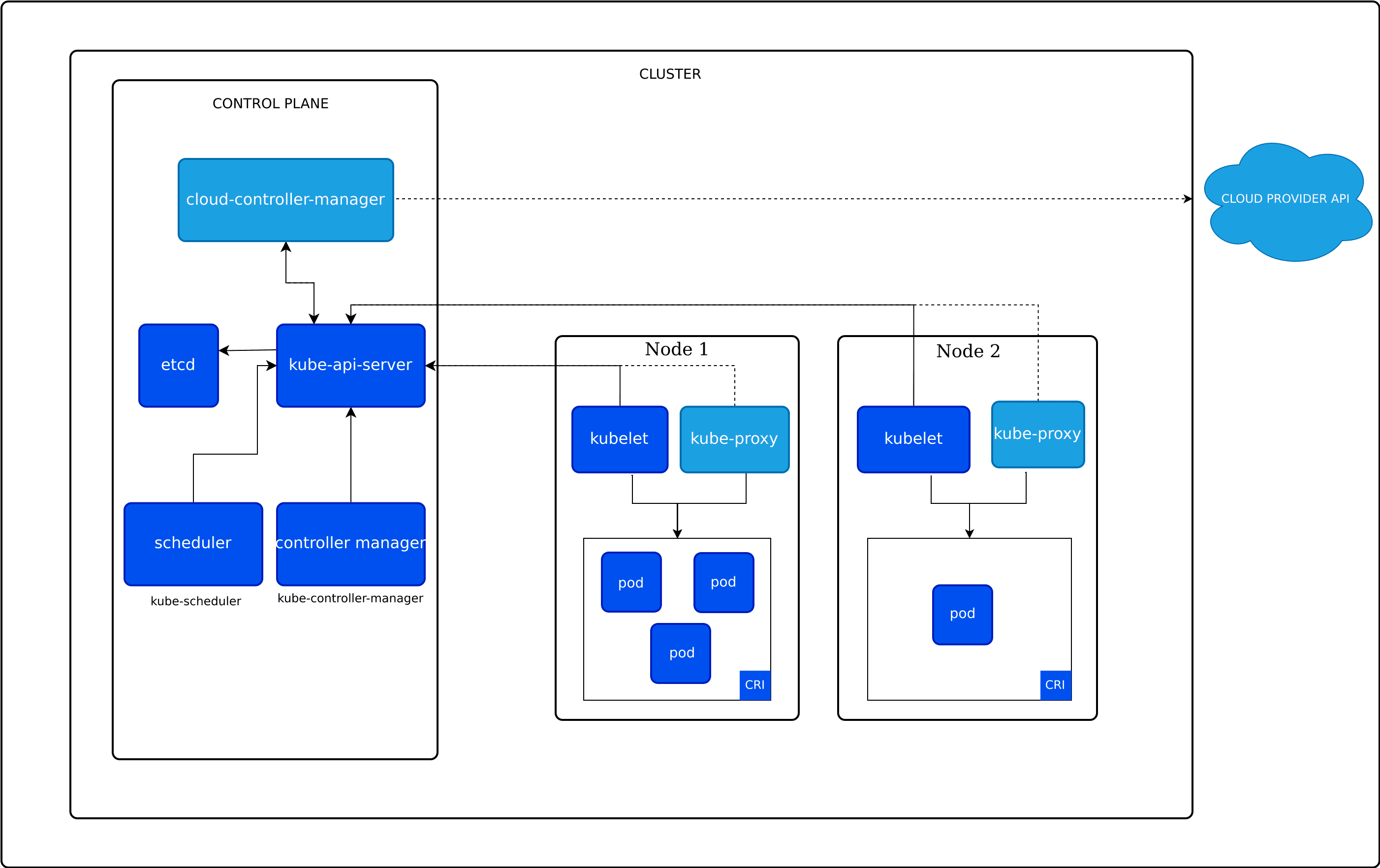
A Kubernetes cluster is made of two main components working together:
- Control Plane: The component making decisions such as what should run, where it runs, and whether the cluster's current state matches the configuration.
- Node: A physical server (or VM). This is where the application's containers actually run.
A cluster needs at least 1 node to be able to run. In production, the cluster architecture usually has many nodes to ensure HA — if one machine fails, the cluster will still keep working normally.
Typically, when self-deploying a K8s cluster, we use multiple physical servers or VMs networked together, then SSH into each server, install the required components (such as the container runtime, kubelet, ...), and use a tool like kubeadm to join them into a K8s cluster.
3. Control Plane Components
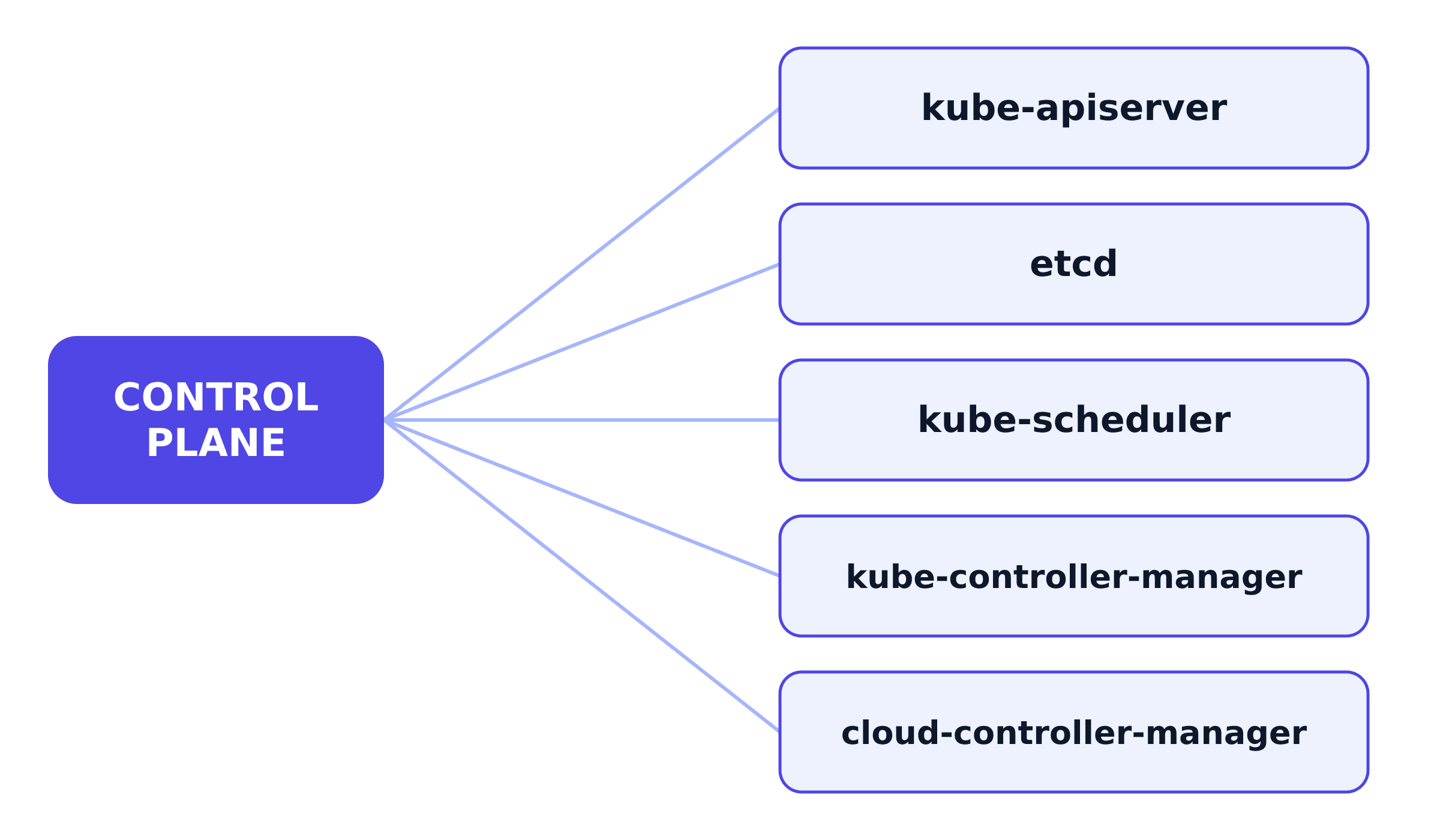
The control plane is made of 5 main components. Together they manage the whole cluster, rather than directly running any containers.
3.1. Kube-apiserver
Kube-apiserver is the cluster's central access point, responsible for exposing the Kubernetes API. Almost every other component (kubectl, the rest of the control plane, the nodes) talks to the cluster only through kube-apiserver, never directly to each other.
It's also built to scale horizontally instead of running as a single instance. We can run several kube-apiserver instances side by side and load balance across them.
3.2. Etcd
Etcd is a consistent, highly-available key-value store, and it's where the entire state of the cluster is stored (desired replica counts, current statuses, ...). Lose etcd without a backup, and you've lost all the information about what the cluster is supposed to be running, even if every node is still intact.
3.3. Kube-scheduler
Kube-scheduler watches for newly created Pods that haven't been assigned a node yet, and picks which node they should run on. That choice isn't random — it weighs factors like:
- How much resource (CPU/RAM) the Pod needs, and whether it fits within what the available nodes have free
- Hardware, software, or policy constraints (a Pod that needs a GPU can only land on a node that has one)
- Affinity/anti-affinity rules: affinity is a constraint that places Pods close together (e.g. two Pods that talk to each other often should run on the same node to reduce latency), while anti-affinity is the opposite — it keeps Pods apart (e.g. two replicas of the same app should sit on two different nodes, so one node dying doesn't take out both).
- Which node the data the Pod needs is on — placing the Pod near its data makes reads/writes faster, instead of pulling the data over the network.
- The workload's deadlines, and how much the workloads on the same node contend for each other's resources — two heavy workloads on one node can slow each other down.
3.4. Kube-controller-manager
Kube-controller-manager is responsible for managing and running the controllers in K8s. Below are some notable controllers:
- Node controller: Detects when a node goes down, marks it as NotReady, and after a while evicts the Pods on that node so they get recreated on other nodes.
- Job controller: Manages K8s Jobs, watching and creating the Pods that run their tasks to completion.
- EndpointSlice controller: Keeps track of which Pods are actually behind each Service.
- ServiceAccount controller: Creates a default ServiceAccount for every new namespace in Kubernetes.
There are more controllers than this, and all of these controllers are compiled into the same single binary.
3.5. Cloud-controller-manager
Cloud-controller-manager is only present when the cluster is running on a cloud provider (AWS, GCP, Azure...) — a cluster running on-prem or on your own machine won't have one. It exists to keep cloud-specific logic separate from the rest of Kubernetes, and it runs controllers such as:
- Node controller: Checks with the cloud provider whether a node that stopped responding was actually deleted.
- Route controller: Sets up networking routes in the underlying cloud infrastructure.
- Service controller: Creates, updates, and deletes the cloud provider's own load balancers.
4. Node Components
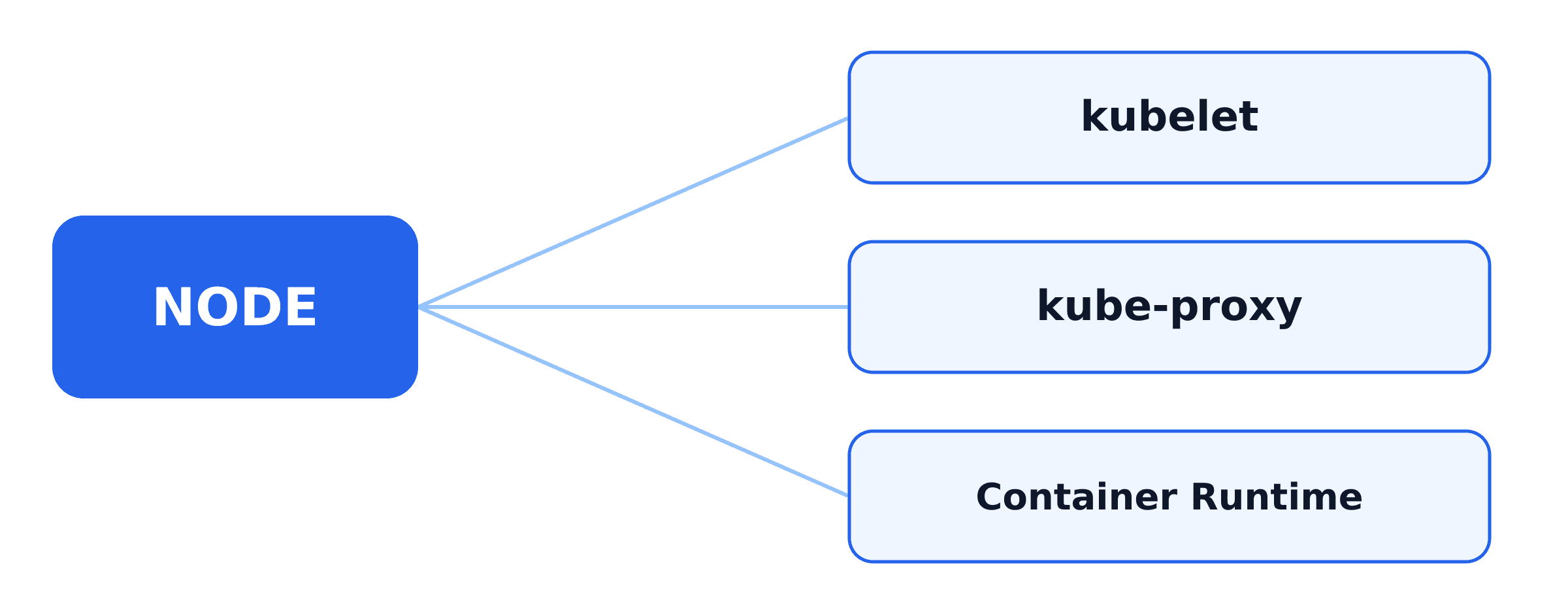
Nodes are where the control plane's decisions get executed. Each node has several components, each with its own distinct job.
4.1. Kubelet
Kubelet is the agent running on every node. It's handed a set of descriptions of what should be running (PodSpecs), and makes sure those containers are actually running and healthy. Kubelet only manages containers Kubernetes itself created and doesn't manage containers you start by hand.
4.2. Kube-proxy (Optional)
Kube-proxy maintains the network rules on each node that let traffic reach the right Pod through a Kubernetes Service. It's an optional component. If your network plugin already does that same forwarding itself, you don't need to run kube-proxy at all.
4.3. Container Runtime
This is the same container runtime from the previous article. It can be containerd, CRI-O, or any other implementation of the CRI standard. It's the piece that actually creates and runs the containers kubelet asks for.
5. Addons
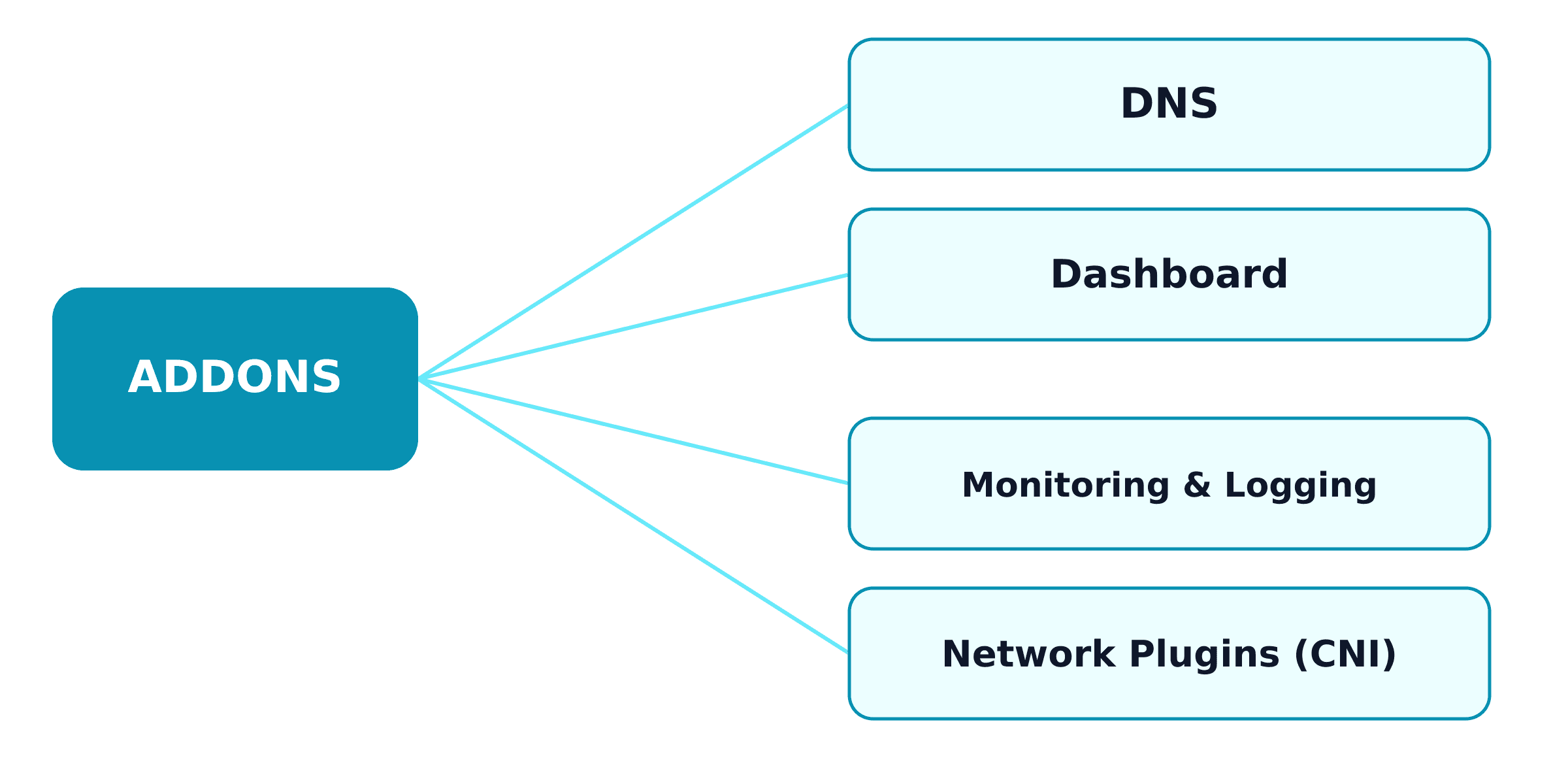
Addons aren't part of the Kubernetes core. They're deployed as ordinary Kubernetes resources (like a Deployment, a DaemonSet, ...), and usually live in the kube-system namespace. DNS is the closest thing to mandatory; the rest are optional, but most real clusters end up needing them.
- DNS: Gives every Service an internal domain, so Pods can call a Service by its domain name instead of hardcoding IP addresses. Containers started by Kubernetes use this DNS server automatically.
- Dashboard: A web UI for browsing and managing the cluster.
- Monitoring & Logging: Monitoring records time-series metrics about containers into a central database you can query; logging saves container logs to a central store you can search instead of SSH-ing into each node.
- Network Plugins (CNI): Kubernetes delegates networking to a network plugin (Calico, Flannel, Cilium...), which you have to install yourself. The plugin handles two jobs:
- Assigning each Pod an IP and letting Pods on different nodes reach each other.
- Network policy (supported by many plugins): rules controlling which Pods are allowed to call which.
6. How a Cluster Actually Gets Deployed
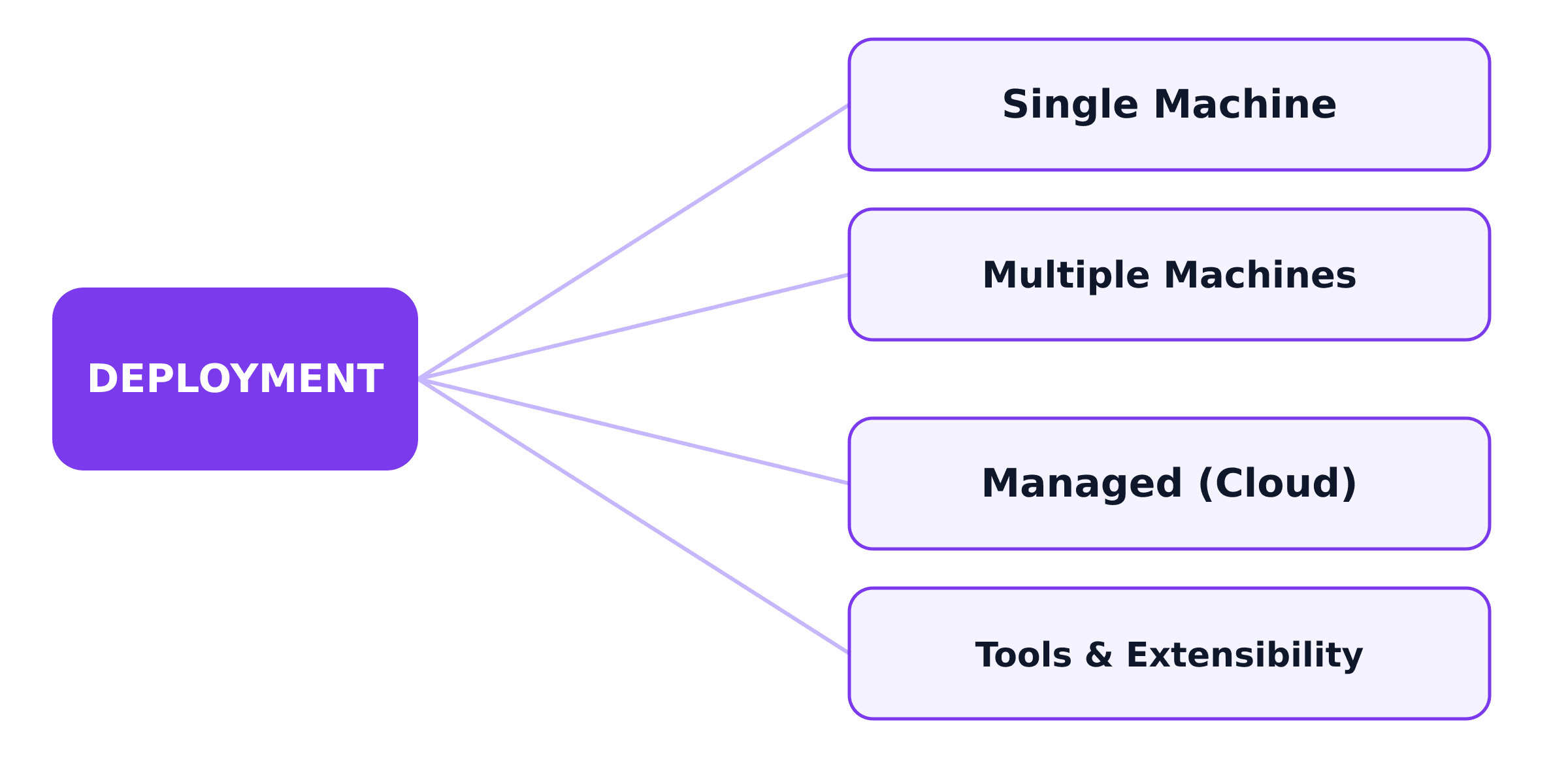
Everything above was about each component's role, not how they get installed onto real servers. In practice, a cluster typically gets deployed in one of a few ways:
- Single server: Every control plane component and every node on one server. Fine for learning, but not for production, because 1 server dying stops the whole cluster.
- Multiple servers: The control plane is deployed across several servers, plus many separate nodes (each node its own server).
- Managed: A cloud provider (EKS, GKE, AKS...) runs and operates the control plane for you. You still create and pay for the worker nodes yourself (usually through the cloud's node group feature), then deploy your applications onto them. Some offerings like GKE Autopilot manage the nodes as well — you just deploy containers.
Tools like kubeadm and kops automate installing these components. And because the components talk to each other through standard interfaces (like CRI for the container runtime, CNI for networking), we can completely replace any component without affecting the rest of the system.
Kubernetes can also be extended further:
- A custom scheduler running alongside the default one.
- A CRD (Custom Resource Definition) to add new object types to the API.
- An admission webhook to intervene in requests before they're stored.
7. Summary
By now you have an overview of the K8s cluster architecture and the components inside it.
A K8s cluster consists of two main components:
- Control Plane: Manages the whole cluster. Its components include kube-apiserver, etcd, kube-scheduler, kube-controller-manager, cloud-controller-manager.
- Node: Where the application's containers run. Its components include kubelet, kube-proxy, container runtime.
There are also addons (DNS, dashboard, monitoring, network plugin) providing the remaining functionality, and tools like kubeadm that help deploy the cluster onto real servers.
In the next article, we'll continue with how to use K8s objects such as Pod, Deployment, Service, StatefulSet, ... through real use cases and concrete examples.
See you in the next one.
Happy reading! 🍵
References
- Kubernetes Components - Kubernetes documentation
- Kubernetes Cluster Architecture - Kubernetes documentation
 Do Hung Anh@anhdh
Related articles
Container
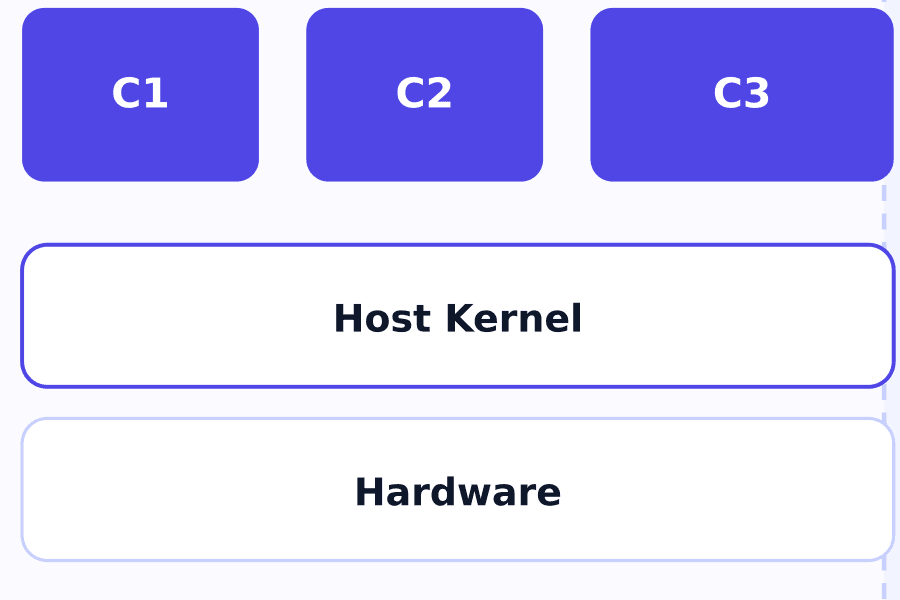
The container solves the Virtual Machine's weight and boot-time problem by dropping the private kernel every VM has to carry around.
Virtual Machine
How does the Virtual Machine solve the physical server's "one machine, one environment" problem, and what does this approach cost you?
Physical Servers and Their Limits
What does a physical server actually look like, and why can't we just keep deploying more onto the same one?